Nova H1 Audio Earring Troubleshooting: Fix Common Issues (2026)
Fix pairing drops, audio feedback, and skin irritation with our expert Nova H1 audio earring troubleshooting guide. Restore your smart jewelry's performance.
The Intersection of High Fashion and Wearable Audio
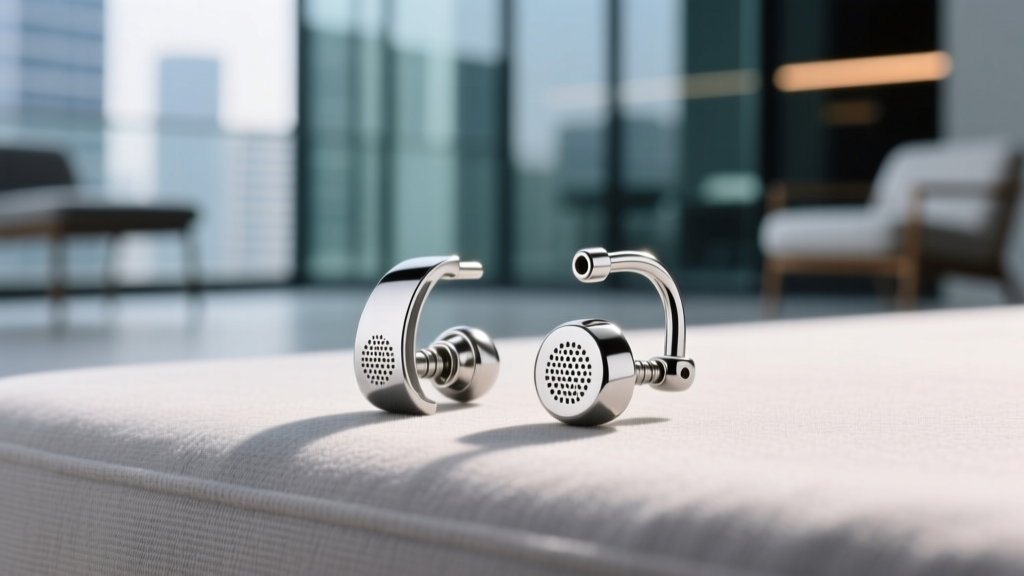
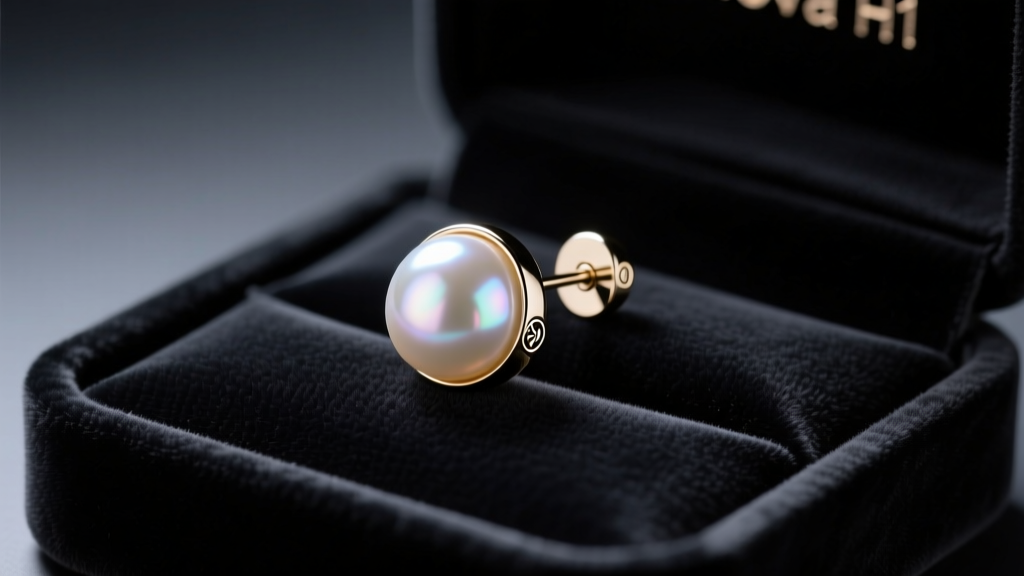
The Nova H1 audio earring has completely redefined the smart jewelry landscape in 2026. By seamlessly integrating a balanced armature driver and MEMS microphone into a sleek, pearl-finish stud, it bridges the gap between high-end fashion accessories and over-the-counter (OTC) hearing assistance. However, merging delicate jewelry aesthetics with complex consumer electronics introduces unique hardware and software challenges. Whether you are using the Nova H1 for ambient audio streaming, active noise cancellation, or as an FDA-registered OTC hearing aid, physical fit and environmental factors heavily dictate performance.
Unlike traditional earbuds that rely on deep canal insertion for acoustic isolation, the Nova H1 sits entirely on the outer earlobe. This open-fit design requires precise troubleshooting to prevent audio feedback, connectivity drops, and material-induced skin irritation. Below is our comprehensive, expert-level troubleshooting matrix to help you diagnose and resolve the most common issues plaguing the Nova H1 audio earring.
Acoustic Feedback and Whistling: Solving the Earlobe Seal
The most frequent complaint among new Nova H1 users is high-frequency whistling or acoustic feedback. This occurs when the device’s outward-facing MEMS microphone picks up the audio output from the balanced armature driver, creating a continuous feedback loop. Because the Nova H1 does not seal the ear canal, the acoustic seal must be established against the earlobe itself.
The Problem with Standard Butterfly Clutches
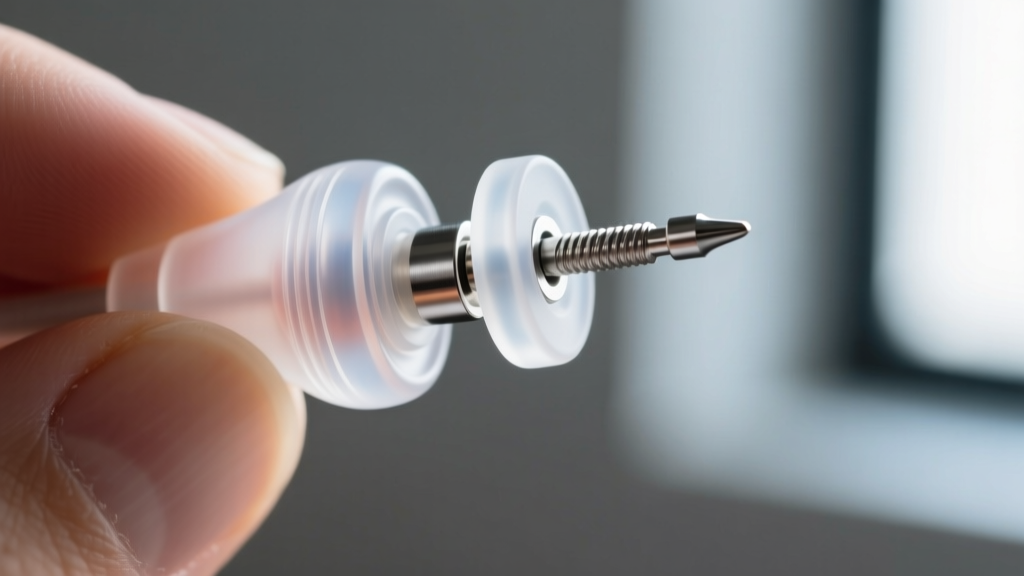
The Nova H1 ships with an 18-gauge (1.02mm) stainless steel post to accommodate the internal wiring that connects the front stud to the rear processing unit. Many users mistakenly secure the device using standard metal butterfly clutches. Metal clutches allow the heavy rear processing unit to pivot downward, creating a microscopic gap between the speaker mesh and the skin. This gap allows sound to leak and reach the microphone.
The Solution: Silicone Acoustic Backs
To eliminate feedback, you must use the included medical-grade silicone acoustic backs. These backs feature a wider, flanged base that presses the speaker flush against the posterior earlobe.
- Step 1: Remove the metal clutch and slide the silicone acoustic back onto the 18-gauge post.
- Step 2: Push the silicone back until it firmly compresses the earlobe tissue. The fit should be snug but not ischemic (do not cut off circulation).
- Step 3: Use the Nova companion app to run the ‘Acoustic Seal Test,’ which plays a series of high-frequency sweeps to verify that no sound leakage is occurring.
Expert Note: If you have exceptionally thin earlobes (less than 4mm thick), the standard silicone back may not provide enough compression. In this case, purchase the aftermarket ‘Thick Lobe’ acoustic washers, which add 2mm of padding to ensure a flush seal.
Connectivity Drops in High-Interference Environments
The Nova H1 audio earring utilizes Bluetooth 5.4 with LE Audio support, providing excellent battery efficiency and high-fidelity streaming via the LC3 codec. However, users frequently report micro-stutters or complete pairing drops when navigating crowded environments like subway stations or busy trade show floors.
Understanding 2.4GHz Spectrum Crowding
Because the Nova H1 relies on a low-power antenna embedded in the rear casing, its signal penetration is inherently weaker than bulkier over-ear headphones. When surrounded by hundreds of competing Wi-Fi and Bluetooth signals, the device’s frequency-hopping spread spectrum (FHSS) algorithm can struggle to find clear channels.
Troubleshooting Connectivity
- Enable Auracast Broadcast: If your source device supports it, switch from standard point-to-point Bluetooth to Auracast broadcast mode, which is more resilient in dense RF environments.
- Perform a Hard Network Reset: Place both Nova H1 earrings in the charging case. Leave the lid open and press and hold the capacitive touch zone on the right earring for exactly 14 seconds until the LED pulses amber three times. This clears the local device cache and forces a fresh handshake with your phone.
- Update Firmware via Wired Connection: Sometimes, background firmware updates fail over the air. Connect the charging case to your laptop via USB-C and use the Nova desktop portal to push the latest RF calibration patch.
For deeper insights into how LE Audio manages interference, refer to the Bluetooth SIG LE Audio technical documentation, which explains the adaptive frequency hopping mechanisms utilized by modern wearables.
Contact Dermatitis: Navigating Post Materials and Skin Sensitivities
Wearing a piece of technology that doubles as a piercing jewelry item means the metal post is in constant, prolonged contact with your skin. While the Nova H1 audio earring is a marvel of engineering, its default post material can trigger adverse reactions in sensitive individuals.
The 316L Stainless Steel Limitation
Out of the box, the Nova H1 utilizes a 316L surgical stainless steel post. While 316L is standard for body jewelry and highly resistant to corrosion, it contains trace amounts of nickel (typically between 8% and 12%). According to the American Academy of Dermatology, nickel is the most common cause of allergic contact dermatitis. If you experience itching, redness, or a weeping sensation around your earlobe piercing after 48 hours of continuous wear, you are likely experiencing a nickel reaction exacerbated by the slight heat generated by the device’s internal battery and processor.
Upgrading to Implant-Grade Titanium
To solve this, you must isolate your skin from the steel post. Nova offers an official ASTM F136 Implant-Grade Titanium sleeve adapter. This micro-sheath slides over the 18-gauge steel post, effectively converting the earring into a hypoallergenic piece of jewelry.
Pro-Tip: Never use clear nail polish as a barrier coating on the Nova H1 post. The solvents in the polish can degrade the waterproof nano-coating on the device’searring base, voiding your IPX4 water-resistance warranty and potentially damaging the internal MEMS microphone.
Battery Degradation and Pogo-Pin Charging Failures
The Nova H1 houses a micro 45mAh lithium-polymer battery in each unit, designed to deliver up to 6 hours of continuous OTC hearing aid processing or 4 hours of high-bitrate media streaming. A common issue in 2026 is ‘phantom charging,’ where the earring sits in the magnetic case, the LED indicates charging, but the battery level fails to increase.
The Culprit: Sebum and Cosmetic Build-Up
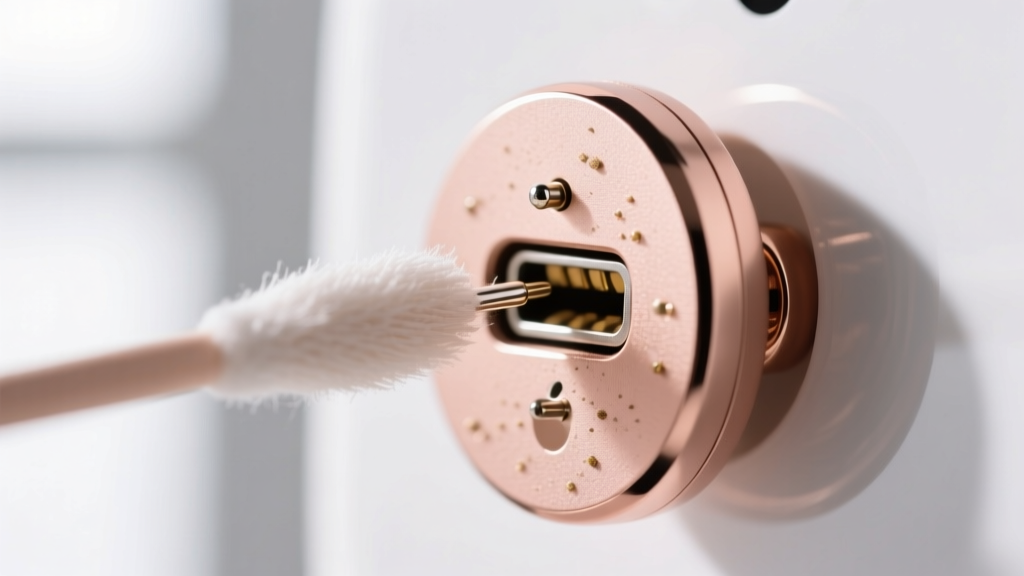
Because the Nova H1 is worn on the face, the magnetic pogo-pin charging contacts on the rear casing are constantly exposed to sebum (skin oils), sweat, and makeup. Over a few weeks, an invisible, non-conductive film builds up over the gold-plated contacts. This film increases electrical resistance, causing the charging case to误read the connection as a faulty battery and halt the current to prevent overheating.
The Cleaning Protocol
To restore proper charging conductivity, follow this strict maintenance routine:
- Use a lint-free microfiber swab lightly dampened with 99% isopropyl alcohol (do not use 70% rubbing alcohol, as the water content can cause oxidation on the pins).
- Gently scrub the three pogo-pin contacts on the earring and the corresponding pins inside the charging case.
- Allow the contacts to air dry for 60 seconds before reseating the earring in the case.
Regular maintenance of these contacts is crucial, especially for users relying on the device for hearing assistance, as a dead battery renders the OTC functionality completely useless.
The 2026 Nova H1 Troubleshooting Matrix
For quick reference, use the table below to diagnose sudden issues with your Nova H1 audio earring based on the primary symptom.
| Symptom | Probable Cause | Immediate Fix |
|---|---|---|
| High-pitched whistling | Acoustic leakage from loose fit | Swap to silicone acoustic backs; compress firmly against earlobe. |
| Audio cuts out outdoors | Wind noise triggering ANC mics | Enable ‘Wind Reduction’ mode in the Nova App under Audio Settings. |
| Earlobe redness/itching | Nickel contact dermatitis | Install ASTM F136 Titanium sleeve adapters over the 18G post. |
| Case LED blinks, no charge | Sebum on pogo-pins | Clean contacts with 99% isopropyl alcohol and a microfiber swab. |
| Uneven L/R volume balance | Wax blocking the speaker mesh | Use the provided dry micro-brush to sweep the mesh; never use liquids. |
Maintaining Your Smart Jewelry Investment
The Nova H1 audio earring represents a significant investment in both personal style and auditory health. As the lines between medical devices and fashion accessories continue to blur, understanding the physical nuances of how these devices interact with human anatomy is paramount. By ensuring a proper acoustic seal, managing RF interference, upgrading to hypoallergenic materials, and maintaining pristine charging contacts, you can ensure your smart earrings perform flawlessly. For users utilizing the device for hearing assistance, always ensure your firmware is up to date to comply with the latest FDA OTC Hearing Aid Guidelines, ensuring your device is delivering safe, calibrated amplification tailored to your specific audiogram.