How to Photograph Jewelry Using a Professional Necklace Mannequin
Learn how to style, dress, and photograph pendants using a necklace mannequin. Step-by-step e-commerce lighting and setup guide for jewelers.
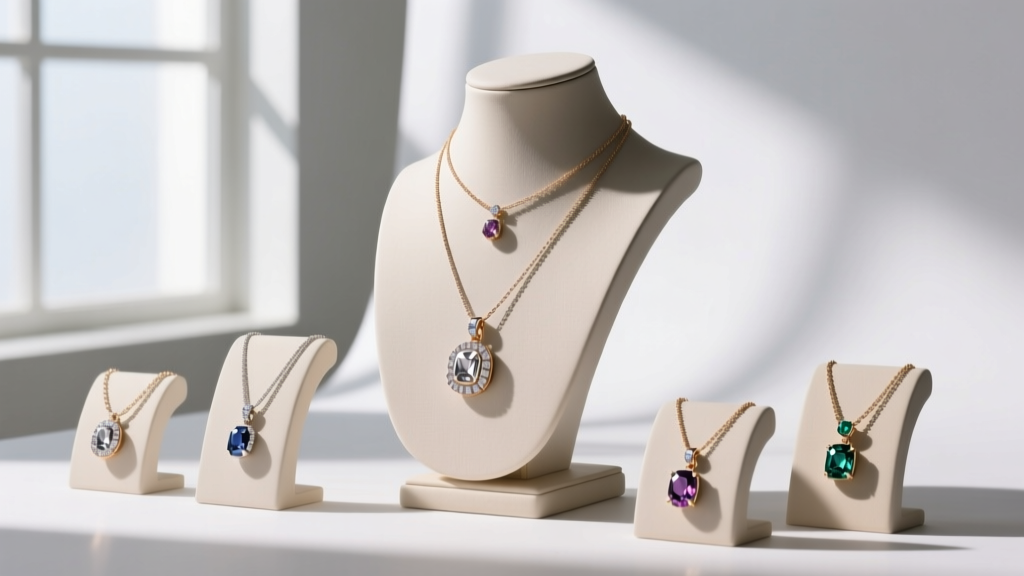
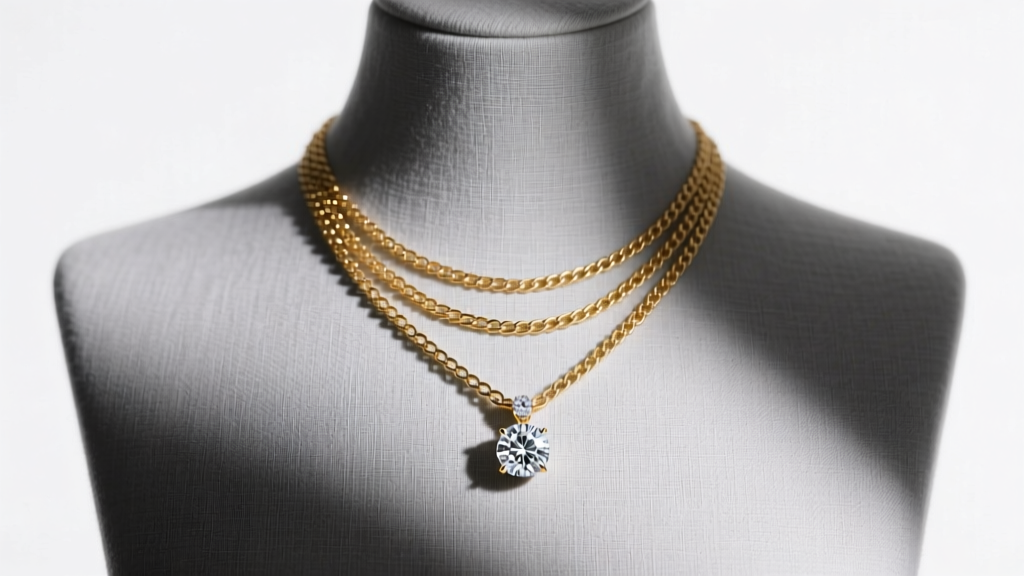
In the rapidly evolving e-commerce landscape of 2026, flat-lay jewelry photography is no longer sufficient to drive high-ticket conversions. Today's collectors and everyday buyers demand spatial context. Enter the necklace mannequin—an indispensable tool for showcasing drape, scale, and light interaction. This comprehensive guide details exactly how to select, style, and illuminate a mannequin bust to produce gallery-grade pendant and chain photography.
Why a Professional Necklace Mannequin Elevates E-Commerce
When selling fine jewelry online, overcoming the "touch barrier" is your primary objective. A high-quality bust provides immediate visual scaling. A 1.5mm cable chain looks vastly different on a 14-inch neck circumference compared to a 16-inch one. According to Shopify's e-commerce imaging guidelines, contextual product photography can increase conversion rates by up to 30% because it reduces customer anxiety regarding sizing and fit.
Furthermore, a mannequin allows you to demonstrate how a pendant's bail interacts with the chain, and how the piece rests on the collarbone—critical factors for chokers and 16-inch princess-length necklaces.
Step 1: Selecting the Right Bust Material and Proportions
Not all display busts are created equal. The market is flooded with cheap, highly reflective polyurethane (PU) busts that create color-casting nightmares in post-production. For professional results, you must invest in premium materials.
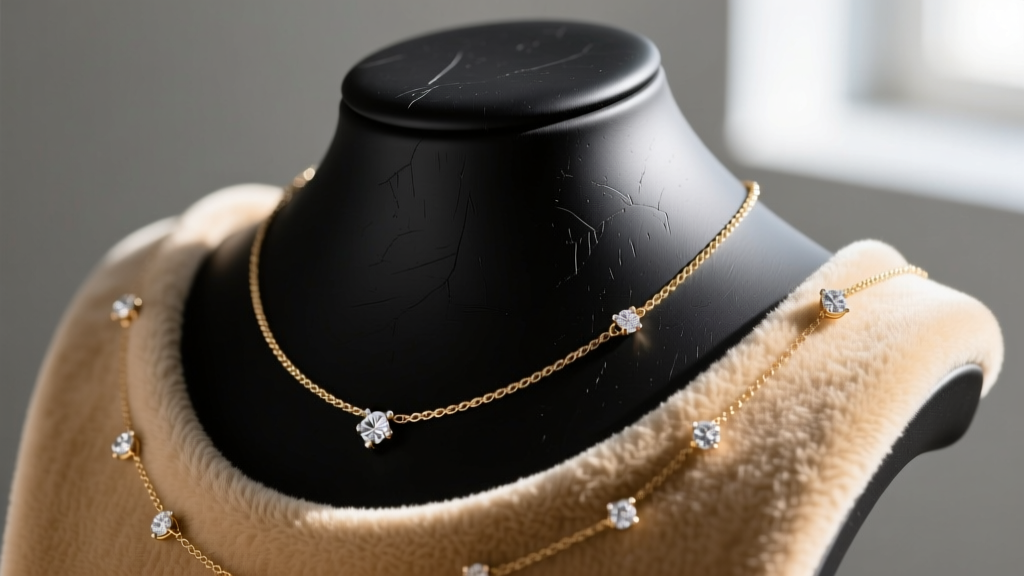
| Material | Price Range | Best For | Lighting Behavior |
|---|---|---|---|
| Matte Silicone | $45 - $90 | High-end diamonds, platinum | Absorbs light, zero glare |
| Wrapped Linen | $60 - $120 | Organic gems, pearls, gold | Soft diffusion, adds warmth |
| Velvet | $25 - $50 | Victorian styles, lockets | Deep shadows, rich contrast |
| PU Leather | $12 - $30 | Fashion jewelry, bulk shots | High glare, requires cross-polarization |
Understanding Neck Proportions
Standard display busts feature a neck circumference of 12 to 13 inches, which is significantly smaller than the average human neck (14 to 15 inches). If you are selling adjustable chains or chokers, be sure to note this discrepancy in your product descriptions. For a more realistic drape, seek out "life-size" or "anatomical" busts that feature a 14.5-inch neck and sloped, realistic clavicles.
Step 2: Dressing the Mannequin and Securing Chains
Gravity and slick mannequin surfaces are the enemies of precise jewelry styling. A 4.5mm Cuban link chain will slide off a silicone or linen bust within seconds. Here is the professional workflow for securing your pieces:
- Museum Wax: Apply a micro-dot of Quakehold museum wax to the inside of the pendant bail and the back of the chain links resting on the shoulders. This is completely reversible and won't damage 14k or 18k gold.
- Micro-Suction Tape: For heavier statement pieces, apply a thin strip of micro-suction tape to the mannequin's chest area. This provides grip without leaving adhesive residue on your jewelry.
- The Fishing Line Trick: If you are shooting a Y-necklace or a lariat that requires tension, use 10lb test clear monofilament fishing line tied to the back of the mannequin to pull the chain taut and create a perfect V-shape down the sternum.
Step 3: Lighting Techniques to Eliminate Bust Shadows
Lighting a necklace mannequin requires a different approach than lighting a ring or earring. The "chin" and "collarbone" ridges of the bust will cast harsh, distracting shadows if you use a single overhead light source.
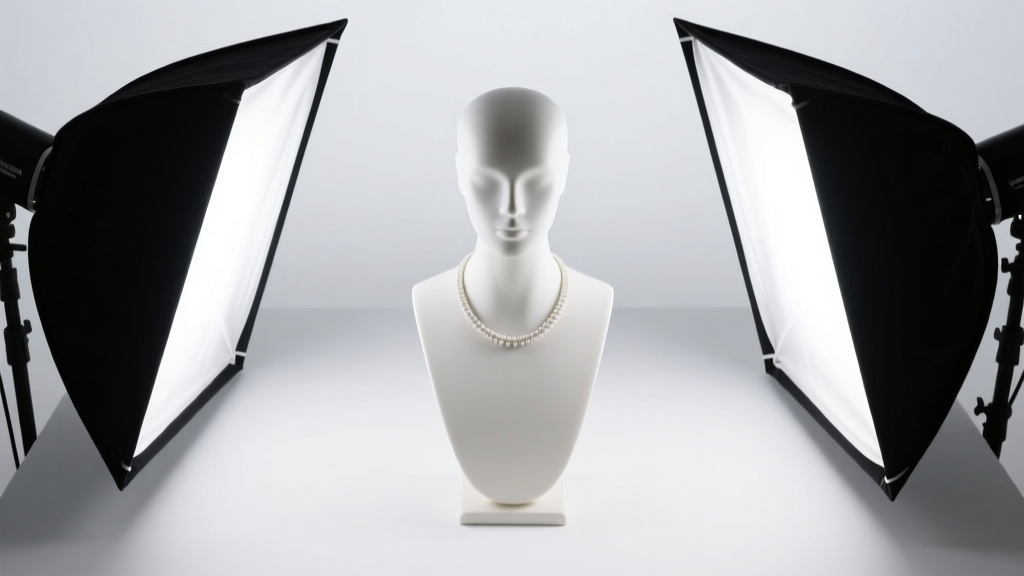
The Dual-Softbox Clamshell Setup
According to B&H Photo's jewelry lighting guides, capturing the sparkle of gemstones while maintaining even illumination on the bust requires a modified clamshell setup:
- Key Light: Place a 24-inch softbox at a 45-degree angle to the upper right, pointing down at the pendant. Use a 5000K-5500K daylight LED panel with a CRI (Color Rendering Index) of 95+ to ensure accurate gold and gemstone color representation.
- Fill Light: Place a second softbox on the left at a 45-degree angle, but set it 1.5 stops lower than the key light. This fills in the shadows cast by the mannequin's molded collarbones without flattening the image.
- Backlight/Hairlight: To separate dark chains from a dark mannequin (e.g., a black velvet bust), position a small snooted strobe directly behind the bust, aimed at the back of the neck to create a subtle rim light on the chain edges.
Pro Tip: If you are shooting highly polished silver or platinum chains on a glossy mannequin, you must use cross-polarization. Place a polarizing film over your light sources and a circular polarizer (CPL) filter on your camera lens. Rotate the CPL until the glare from the mannequin's surface completely vanishes, leaving only the pure metal reflections.
Step 4: Post-Processing and the Ghost Mannequin Effect
While leaving the mannequin in the final shot is perfectly acceptable for lifestyle and boutique branding, high-volume e-commerce often requires the "ghost mannequin" or "invisible bust" effect. This isolates the necklace in a 3D-like floating posture.
Shooting for Ghost Mannequin Compositing
To achieve this, you cannot simply cut the necklace out of a single photo. The chain will have gaps where it wraps around the back of the neck. Follow this two-shot protocol:
- Shot A (Front): Photograph the necklace on the mannequin as styled, ensuring perfect lighting on the pendant and front drape.
- Shot B (Back/Interior): Remove the necklace. Turn the mannequin around, or use a specialized "cut-out" mannequin that lacks a back neck. Photograph the back of the neck area to capture the interior neckline and the back of the chain clasp.
- Compositing: In Adobe Photoshop, use the Pen Tool to create a precise clipping path around the front chain. Mask out the mannequin. Then, warp and blend the interior neckline from Shot B behind the front chain to create a seamless, hollow 3D loop.
Troubleshooting Common Display Issues
Even with premium gear, jewelers encounter specific hurdles when using a necklace mannequin. Here is how to solve the most frequent problems:
- Problem: The pendant flips backward. Solution: The bail is likely too heavy or the chain is too thick. Switch to a lighter 1.0mm box chain, or apply a tiny piece of double-sided jewelry tape to the back of the pendant to anchor it to the bust.
- Problem: Moiré patterns on linen busts. Solution: The tight weave of the linen is interfering with your camera sensor's Bayer filter. Stop down your aperture to f/8 or f/11, or slightly shift the mannequin's angle by 5 degrees to break the interference pattern.
- Problem: Color casting from the bust. Solution: If a beige velvet bust is reflecting warm tones onto a silver chain, use a custom white balance card in the frame during your first shot, or place a sheet of neutral grey foam core just out of frame to bounce neutral light back onto the metal.
Mastering the necklace mannequin is a blend of material science, precise styling, and controlled illumination. By investing in the right bust, utilizing museum wax for secure draping, and deploying a high-CRI dual softbox setup, your e-commerce gallery will project the luxury and craftsmanship your jewelry deserves.